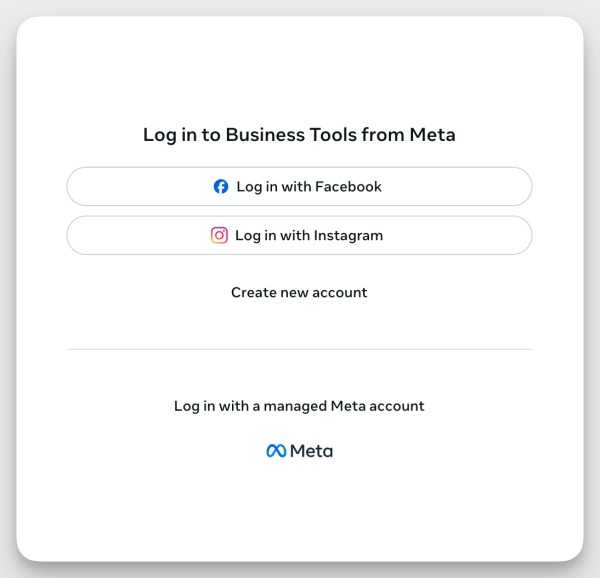
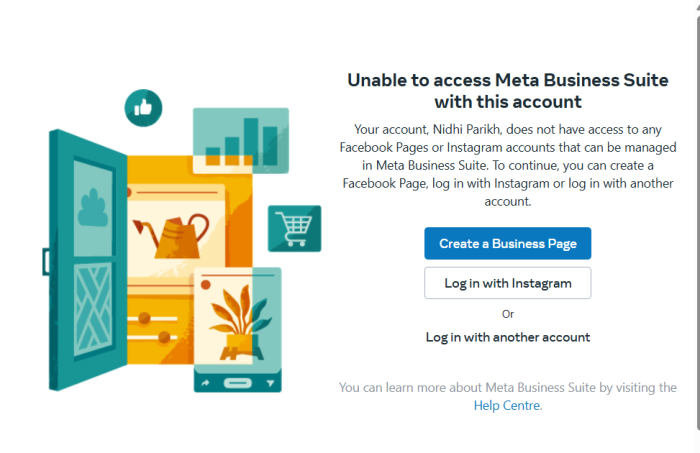
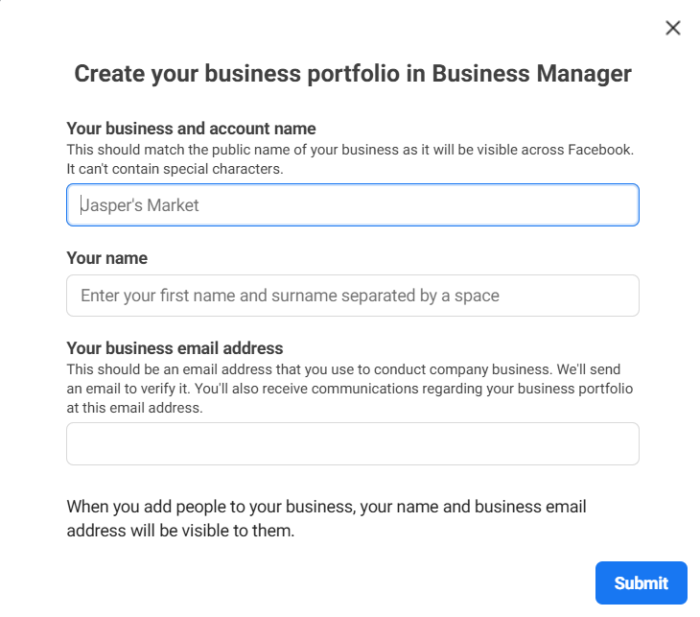
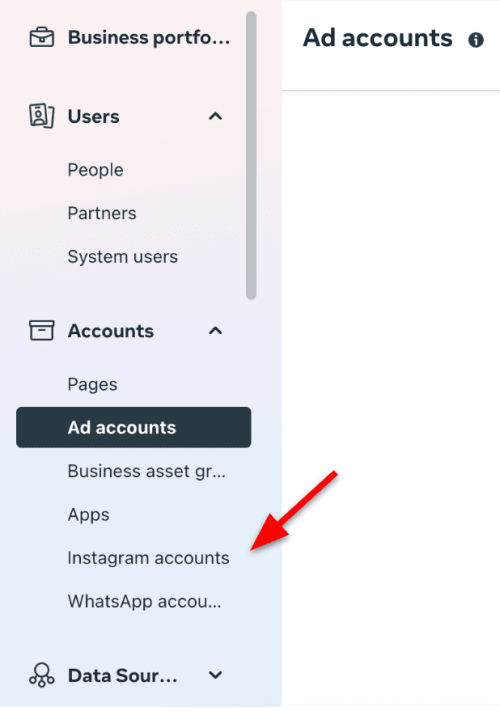
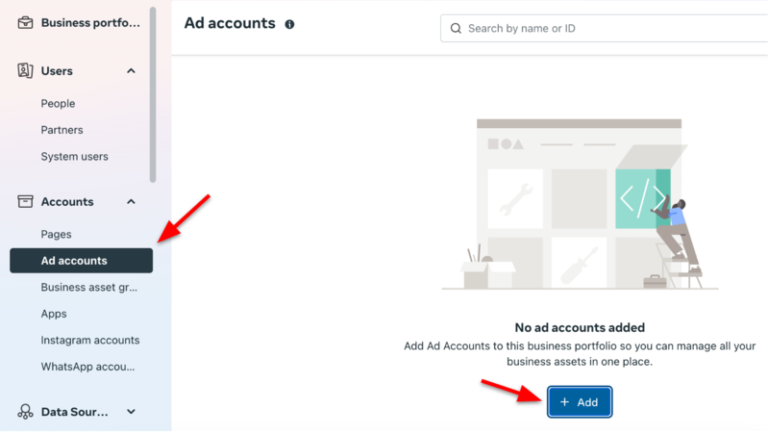
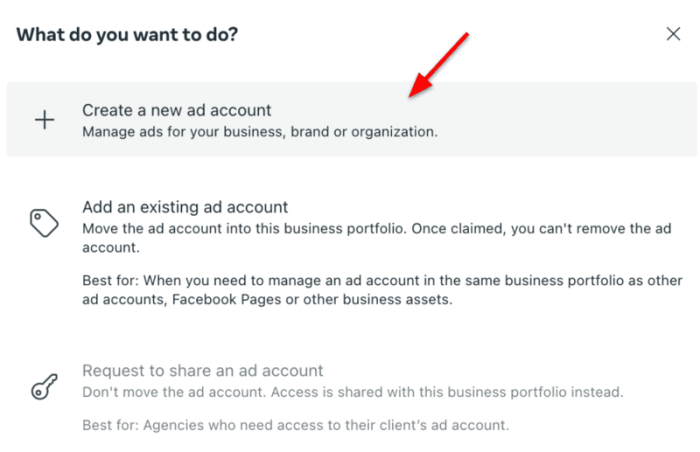
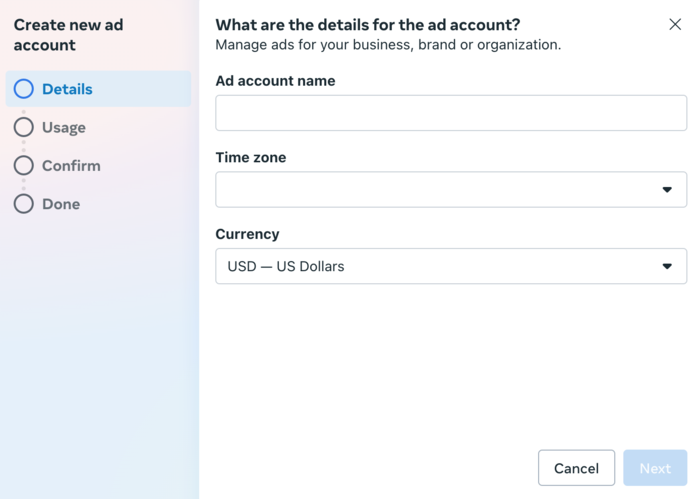
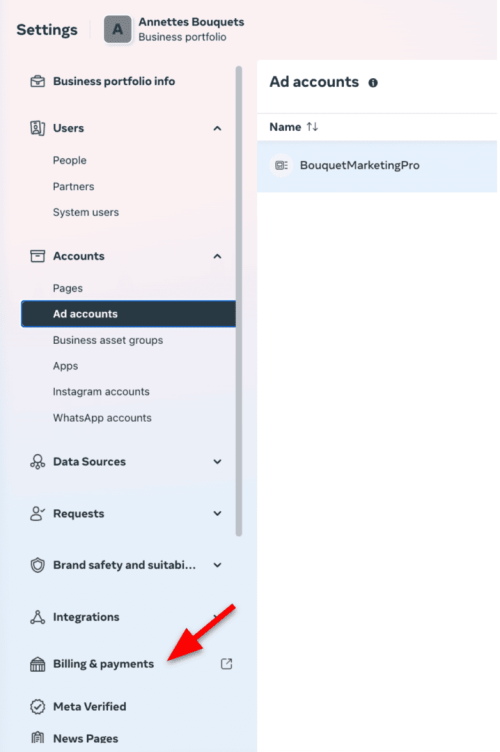
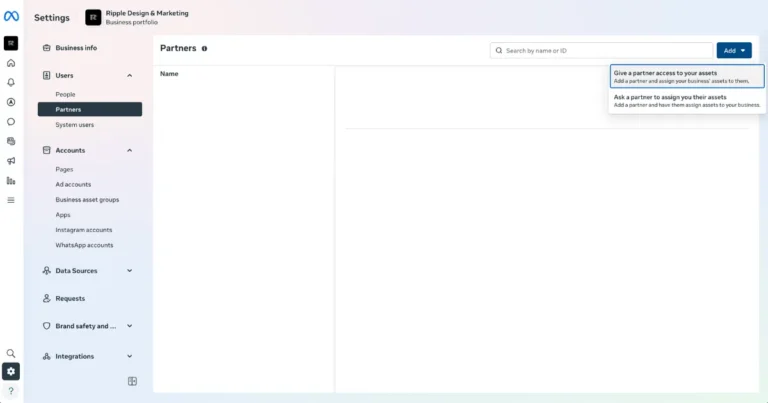
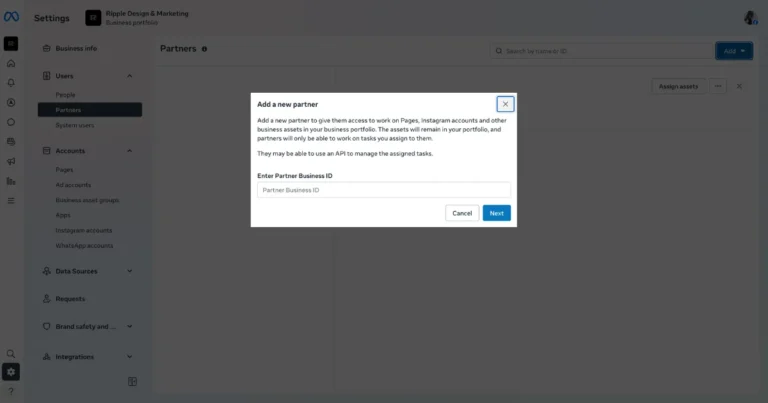
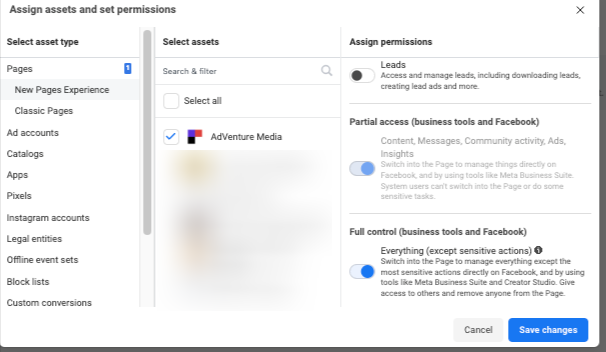
How to Add Crimson Social to Manage Your Meta AdsSetting up your Meta Account is quick and easy. If you don’t have a Meta Business Portfolio, go hereIf you have a Meta Business Portfolio but don’t have an ad account (haven’t run ads before), go hereIf you have an ad account, go here How to Create a Meta Business Portfolio1. Create your Business PortfolioGo to business.facebook.comLog in with your Facebook profile Click Create a Business Portfolio Add info:Business nameYour nameBusiness email Confirm your email if promptedThis Business Portfolio is where your ad account and Instagram account live. 2. Add your Instagram account Instagram must be added for ads to run.In the left menu, go to SettingsClick Instagram accountsClick AddLog in to Instagram and confirm If you do not see the Instagram account, you are not an admin of it. How to Create an Ad Account1. Create a new Ad AccountIn Settings, click Ad Accounts Click AddSelect Create a new ad account Ad account name (for example: “Smith Estate Agents – Ads”)Time zoneCurrency⚠️ These settings cannot be changed later. 2. Add a payment methodOn the left hand side click on SettingsGo to Billing & payments Add your card detailsAds cannot run without this step. How to Add Crimson Social as your agency partnerThis is what allows Crimson Social to manage your Instagram ads.1. Go to PartnersIn SettingsClick UsersClick PartnersClick AddSelect Give a partner access to your assets 2. Enter Crimson Social’s Business Portfolio IDPaste the ID below and click Next:2713237145513757 3. Assign access Select the following and grant Full Control (this allows us to manage the account on your behalf):✅ Ad Account✅ Instagram account 4. Confirm and saveReview selectionsClick Save / ConfirmCrimson Social will now appear under Partners and can begin managing campaigns. That’s it! If you are struggling with any of the steps, please send an email to info@crimsonsocial.co.uk and we will help you as soon as we can.